8-bit vs 16-bit PNG and EXR Displacement Maps
Find the source of stair-stepping in displacement and choose a texture format that preserves your height precision.
Quick answer
An 8-bit unsigned height map has 256 values, whereas unsigned 16-bit PNG has 65,536. A floating-point EXR offers a different numeric range and precision. Use a high-precision source, export and import it as linear data, and compare with sufficient mesh subdivisions. Upconverting a stepped image preserves the steps already present.
How do the formats compare?
| Format | Numeric representation | Where it fits | Import concern |
|---|---|---|---|
| 8-bit PNG | 256 unsigned levels per channel | Preview and broad height changes | Steps may appear under strong displacement |
| 16-bit PNG | 65,536 unsigned levels per channel | Normalized elevations with fine transitions | Importers may convert to lower precision |
| Half EXR | 16-bit floating-point channel | HDR or pipeline-specific floating-point maps | Precision varies with magnitude |
| Float EXR | 32-bit floating-point channel | Wide-range or high-precision data exchange | Larger files and engine format support |
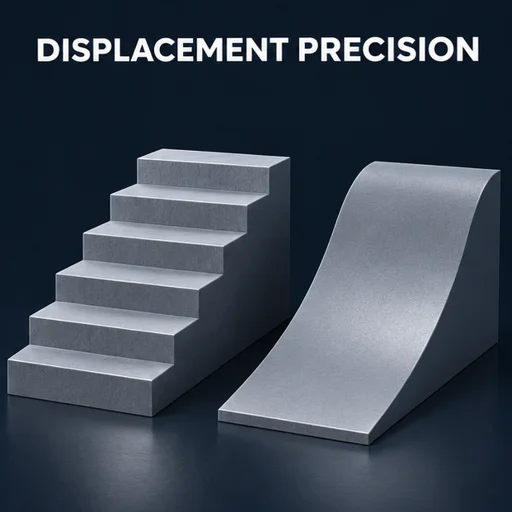
Where does stair-stepping come from?
- Inspect the earliest editable height image. If the underlying ramps were painted or baked into 8-bit data, a 16-bit file can store those values accurately but has no information about the missing values between them.
- Compare a known smooth gradient at each stage. Export 8-bit and 16-bit versions with the same working range. Allow both through the same shader and choose a lighting angle that shows contour changes.
- Verify the engine's actual import format. Disable color correction for height data and check platform overrides and compression. A format displayed as 16-bit on disk can be quantized or compressed after import.
- Increase geometry density independently of image resolution. If the contour follows polygon boundaries, the number and spacing of vertices may dominate the error.
What does quantization look like in world units?
For a normalized ramp spanning 10 cm, an ideal 8-bit format can represent increments of about 10 cm ÷ 255, or 0.39 mm. Unsigned 16-bit increments are roughly 10 cm ÷ 65,535, or 0.0015 mm. These values only describe the file's quantization. A coarse mesh, compressed asset, or previously stepped source can show larger artifacts.
Open the browser tool to try this workflow with your own texture.
Frequently asked questions
Can I switch to EXR and use the same scale settings?
Check the value range and midpoint independently. Some pipelines store normalized height. Others use signed or scene-scale offsets. Preview a known zero-height patch before using the same amplitude.
Does the PNG require sRGB?
Height is data, so use linear or Non-Color settings. A color transfer curve changes height ratios and changes the displacement response.